
Practical AI Governance in Microsoft 365: How Education and Public Sector Teams Can Secure AI
Share this post
Author
AI is already part of the workplace.
For K-12 school districts, higher education institutions, and government organizations, employees are using generative AI to write emails, summarize meetings, analyze documents, create content, and automate everyday tasks. Some of that activity is happening through approved Microsoft tools. Some of it isn’t.
That creates a new challenge for IT and security teams: How do you govern AI when you don’t have complete visibility into how it’s being used?
The answer isn’t necessarily to block AI. For most organizations, that’s neither practical nor productive.
Instead, AI governance should follow a familiar cybersecurity approach:
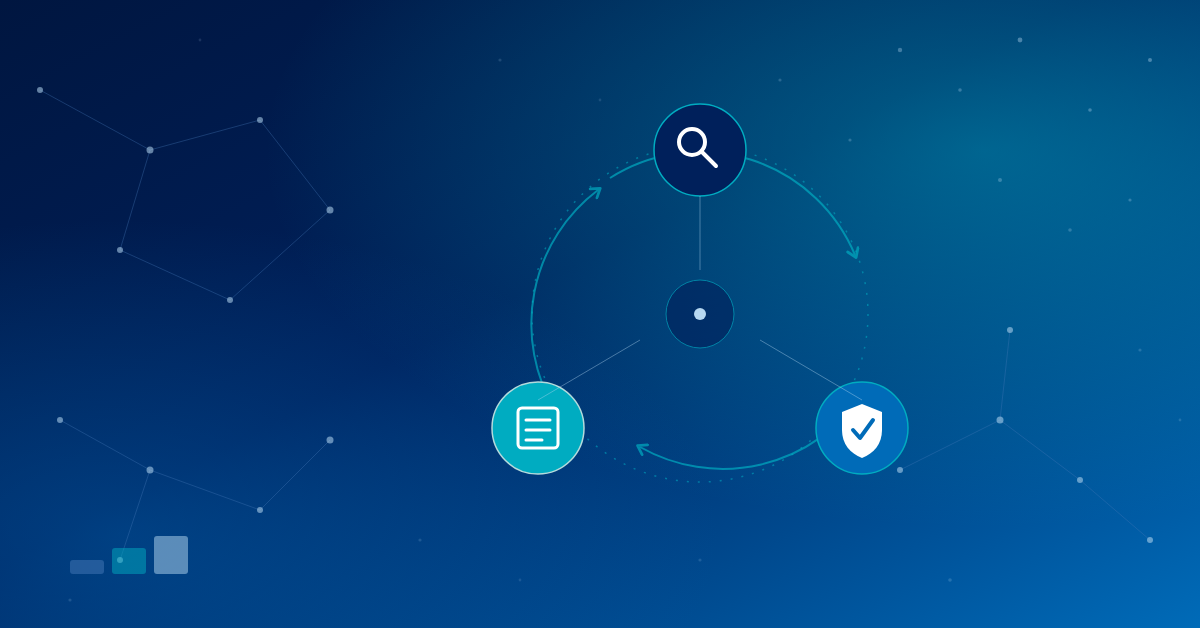
Identify. Govern. Prepare. Repeat.
If your organization already runs on Microsoft 365, much of the technology you need to put that approach into practice may already be part of your Microsoft security stack. Here’s where to start
1. Identify the AI You Didn’t Approve
Start with Microsoft Defender for Cloud Apps
You can’t govern what you can’t see.
One of the first steps in building an AI governance strategy for Microsoft 365 is understanding which AI applications are already being used across your organization.
Microsoft Defender for Cloud Apps (MDCA) provides cloud discovery capabilities that can help security teams identify applications being accessed across their environment. Its cloud app catalog includes a dedicated generative AI category, giving organizations a starting point for identifying AI applications that may be in use.
For education and public sector IT teams, this matters because AI adoption doesn’t always happen through a formal IT project. A teacher may use an AI writing assistant. A department may adopt an AI meeting transcription service. An employee may connect an AI application to Microsoft 365 through OAuth.
The first step isn’t to shut everything down.
It’s to understand what’s there.
Look for generative AI applications
Use Cloud Discovery in Defender for Cloud Apps to identify AI applications being used in your environment.
From there, your security team can investigate:
- Which AI applications are being used
- Which users are accessing them
- Which devices are accessing them
- How frequently they’re being used
- What risk information is available for each application
That gives you a much clearer picture of your organization’s AI attack surface and shadow AI usage.
Don’t forget OAuth applications
AI applications can introduce another risk through OAuth.
Employees can authorize third-party applications to access Microsoft 365 data, sometimes granting permissions that go well beyond what the application actually needs.
Defender for Cloud Apps App Governance provides visibility into OAuth applications, including the permissions they have been granted, users who have consented to them, and information about how those applications interact with organizational data.
For example, your team may want to investigate:
- Applications with excessive permissions
- Unverified applications
- Applications accessing sensitive Microsoft 365 data
- Applications with high levels of API activity
- Applications that haven’t been used recently
- Apps that users have connected without IT approval
From there, establish a clear process for approving, monitoring, restricting, or removing applications.
Sanction or unsanction risky applications
Once you’ve identified applications that shouldn’t be used, Defender for Cloud Apps allows you to mark them as Sanctioned or Unsanctioned.
With the appropriate Defender for Endpoint configuration, unsanctioned applications can also be blocked at the endpoint.
The goal isn’t simply to block technology.
It’s to create a controlled path to using AI safely.
If your users need an AI tool to do their jobs, give them an approved alternative whenever possible.
2. Govern the AI You Do Approve
Use Microsoft Purview to protect your data
Finding AI applications is only half the equation.
The bigger question for many Microsoft 365 environments is:
What can AI actually access?
This is where Microsoft Purview and AI data security become critical.
Microsoft 365 Copilot respects your organization’s existing identity, permissions, sensitivity labels, retention policies, and administrative controls. In other words, Copilot doesn’t magically fix an organization’s existing data security problems. It works within the access and data governance framework you’ve already established.
That’s why AI governance should start with data governance.
Start with DSPM for AI
Microsoft Purview’s Data Security Posture Management (DSPM) for AI can help organizations understand their AI data security posture.
For education organizations, this is especially important.
Schools and universities manage enormous amounts of sensitive information — student records, employee information, financial data, research, intellectual property, and other regulated or confidential content.
Before expanding AI access, security teams should understand:
- Which sensitive data AI can access
- Where sensitive data may be overshared
- Which users have excessive permissions
- Where sensitivity labeling gaps exist
- Which AI applications and agents are interacting with organizational data
The point is simple:
Copilot doesn’t create an oversharing problem. It can expose an existing one much faster.
If a user already has access to sensitive information, AI can make that information significantly easier to discover, summarize, and act on.
That’s powerful when your data is properly governed.
It’s a problem when it isn’t.
Put sensitivity labels to work
Sensitivity labels are one of the most important building blocks of an effective Microsoft 365 AI governance strategy.
Labels can do more than visually identify sensitive information. They can enforce protections around how content is accessed, shared, and used.
For organizations preparing for broader AI adoption, that means reviewing whether your most sensitive data is consistently identified and protected.
Ask: Can we trust our data classification today?
If the answer is no, adding more AI isn’t going to make the problem easier.
Use DLP to protect sensitive AI interactions
Microsoft Purview Data Loss Prevention (DLP) can also help organizations control how sensitive information is used with Microsoft 365 Copilot.
DLP policies can identify sensitive information in Copilot prompts and take policy-based action. Organizations can also control how web search is used when sensitive information is included in a prompt.
For education and public sector organizations, this creates another layer of protection around sensitive information.
Instead of relying entirely on employees to know what they shouldn’t put into an AI prompt, organizations can use policy and technology to help enforce those boundaries.
That’s what good AI governance should look like.
Not just a policy sitting in a handbook — controls that actually work inside the environment.
3. Prepare for AI Agents
AI agents change the security equation
Copilots primarily help users find information, create content, and complete tasks.
AI agents can take action.
They can interact with applications, access data, execute workflows, and operate with varying degrees of autonomy.
That creates an important cybersecurity question:
What happens when an AI agent becomes an identity inside your environment?
Microsoft is addressing this with Microsoft Agent 365 and Microsoft Entra Agent ID.
Microsoft Agent 365 became generally available for the commercial segment on May 1, 2026. It provides capabilities for managing and governing agents across the Microsoft ecosystem, while Microsoft Entra Agent ID provides a framework for creating and managing agent identities.
For IT and security teams, the important shift isn’t simply the arrival of another Microsoft product.
It’s the security model behind it.
Start treating agents like identities
An AI agent shouldn’t receive unlimited access simply because it is automated.
The same principles that apply to users should apply to agents:
- Least privilege
- Scoped access
- Read-only access by default
- Limited write permissions
- Strong authentication
- Monitoring and auditing
- Clear ownership
- Regular access reviews
Microsoft Entra Agent ID is designed to make agent identities visible and manageable within the Microsoft security ecosystem, with authentication and activity logged for compliance and auditing.
Don’t rush into agentic AI without governance
Agent 365 is still a relatively new part of the Microsoft security landscape, and licensing and capabilities continue to evolve.
Microsoft currently documents Agent 365 as a separately licensed capability, with additional requirements depending on which agent security features an organization wants to use.
That means organizations shouldn’t start with: “Which Agent 365 license do we need?”
Start with: “What agents do we have, what can they access, and what are they allowed to do?”
The technology can follow.
The governance shouldn’t.
4. Give Users a Safer Path to AI
One of the simplest ways to improve AI security is to give employees and educators an approved alternative.
For organizations using Microsoft 365, Microsoft 365 Copilot Chat can provide enterprise data protection for prompts and responses and is available at no additional cost for many Microsoft 365 and Office 365 education licenses, including A1, A3, and A5.
That doesn’t mean every user should automatically have unrestricted access to every AI capability.
It does mean IT teams can establish a sanctioned AI environment rather than leaving employees to find their own tools.
For education organizations, that’s an important distinction.
The goal isn’t to stop people from using AI. It’s to help them use AI safely.
5. Build an AI Governance Process You Can Actually Maintain
AI governance doesn’t need to become another massive IT initiative.
Start with a repeatable process.
Identify
Understand which AI applications, OAuth apps, Copilots, and agents are already present in your environment.
Govern
Establish which applications and AI services are approved, what data they can access, and what security controls apply.
Prepare
Review your data classification, identity controls, DLP policies, and agent governance before expanding AI adoption.
Repeat
AI is changing too quickly for governance to be a one-time project.
New applications appear. New models are released. New agents are deployed. Existing tools gain new capabilities.
Your governance process needs to evolve with them.
A Practical AI Governance Checklist for Education and Public Sector IT
If you’re not sure where to begin, start here:
- Inventory your AI applications.
Use Defender for Cloud Apps to identify AI and other cloud applications being used across your environment.
- Review OAuth permissions.
Identify third-party applications with access to Microsoft 365 data and investigate excessive or unnecessary permissions.
- Establish sanctioned AI tools.
Give employees and educators secure, approved alternatives instead of expecting them to navigate AI security on their own.
- Assess your Microsoft 365 data.
Use Purview and DSPM for AI to understand where sensitive data exists and what AI services can access it.
- Strengthen sensitivity labeling.
Make sure your most sensitive information is consistently classified and protected.
- Review DLP policies.
Make sure your existing policies account for how users interact with AI.
- Create an AI inventory.
Document each application or agent, its owner, permissions, data access, and governance status.
- Define your AI governance policy.
Establish which data AI can access, who can approve new tools, and what security review is required before deployment.
- Prepare for AI agents.
Start treating agents as identities and apply the same least-privilege principles you use for people and applications.
2. Repeat the process.
AI governance isn’t a project with an end date. Make discovery, review, and policy updates part of your ongoing security program.
AI Governance Doesn’t Have to Be Complicated
For K-12 districts, higher education institutions, and government organizations, AI governance can feel like another problem added to an already-full IT team’s list.
It doesn’t have to be.
If you’re already invested in Microsoft 365, the foundation for a practical AI security and governance strategy may already be in your environment.
The key is connecting the pieces:
- Defender for Cloud Apps for discovery.
- Microsoft Entra for identity.
- Microsoft Purview for data security.
- Defender for Endpoint for protection.
- Agent 365 for the emerging agentic era.
And when your team doesn’t have the time or resources to manage it all alone, that’s where a security partner can help.
At Forsyte, we work with education and public sector organizations to make Microsoft security easier to manage — helping teams get more value from the tools they already own while putting practical controls around the risks that matter.
AI isn’t slowing down. Your governance shouldn’t either.
Ready to take a closer look at your Microsoft 365 security and AI governance posture?
Talk with Forsyte about your environment or request a free security assessment.
Ready to make security easy?
Find out where your organization stands. Our free security assessment gives you a clear picture of your current posture and a roadmap for what comes next.